Background effects
The participant has the option to select different background effects. This can either be to blur the background, or use a custom image. This is useful when custom backgrounds are preferred for different use-cases, or when agents have busy backgrounds and would just like to hide their real backgrounds.
To enable a background effect when joining a call, select the "Background effects" option from the control screen, and choose your preferred background. During a call, simply hover your mouse over the camera control and guide your mouse over the "Effects" option, then select and apply your preferred background.
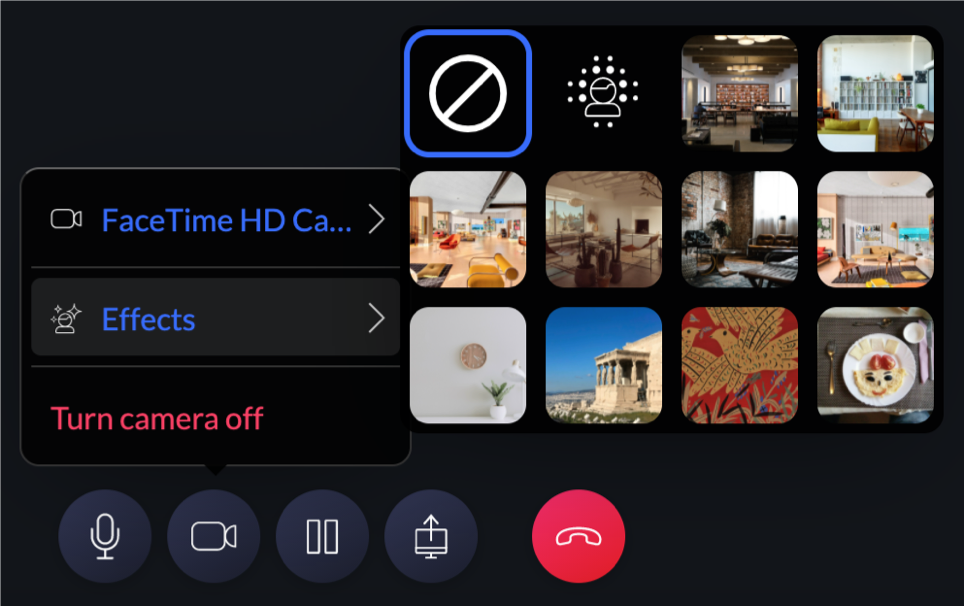
This feature is not supported in Safari, and performance may be effected on slower machines or machines with older hardware
Custom backgrounds
Uploading and using custom background images is only available to agents. Customers are limited to the default backgrounds.
Custom background images are upload from the "Settings" page, and only by a user with administrative privileges.
The admin can set a background image as default so that all agents load that background by default. If the admin changes the default background, the agents will have to refresh the page to get the new backgrounds. Also which image is selected is cached locally on the agent's device. This means that if an admin removes/changes a default background, the agents will have to clear their browser cache or select no image / another image the next time they use auvious.
The admin can also choose to hide the defaults backgrounds that auvious offers and only load custom backgrounds.
Use hardware acceleration for background effects (WebGL, experimental): Enables WebGL-based processing to offload rendering to the GPU, improving framerate and overall performance. This can make background effects smoother during real-time use, though edges and fine details may appear slightly harsher or less refined due to the accelerated rendering pipeline. Best suited for devices with capable graphics hardware.
Use lite model: Switches to a lighter, faster processing model for background effects and masking. This reduces computational load, resulting in quicker performance and lower latency, but may produce coarser masking and less precise edge detection.
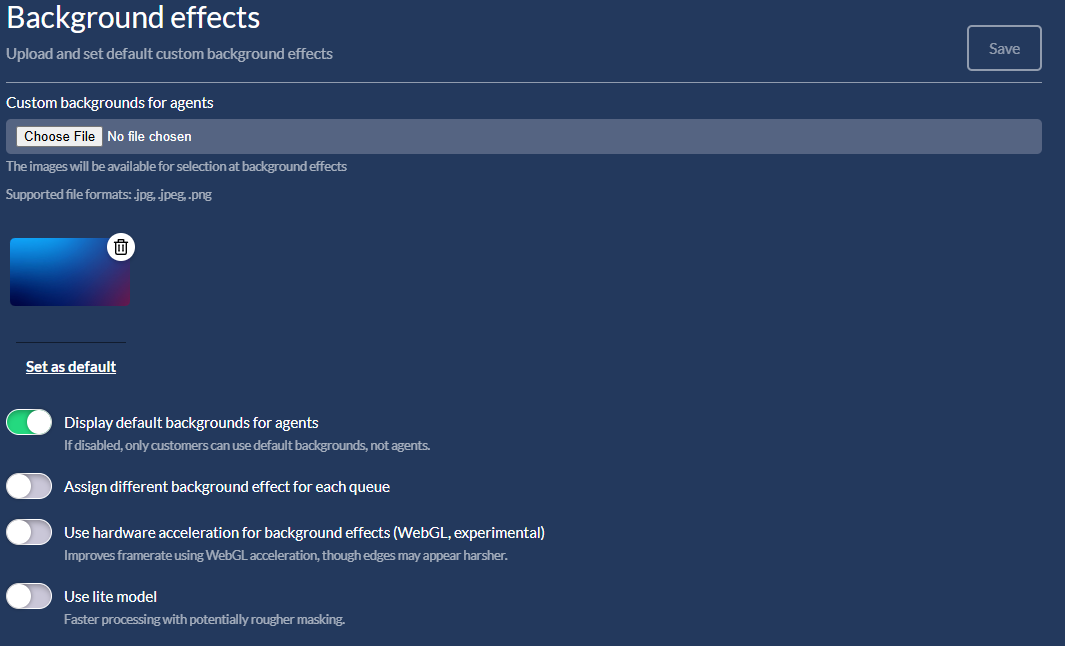
A valid storage provider must already exist in order to upload custom background images. Only .JPG and ** .PNG** images are supported.